INCREASES DNS CACHE FOR FASTER WEB BROWSING - VISTA
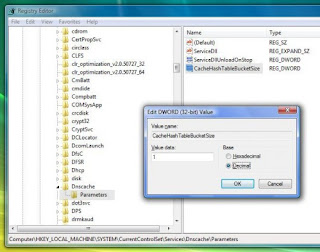
Windows uses DNS cache to store recently visited websites. You can see what your computer stores in this cache by going to Start > Run and typing cmd (the command prompt). Now type ipconfig/displaydns. You should see a list of all the website addresses it has stored in the cache. Whenever you go to a website, it has to look up the IP address where that website is located. First it checks to see if it’s in your cache before asking the DNS server over the Internet for the IP address. As you can see, referring to the address when you already have it is going to be faster than if it has to travel over the wires to retrieve it. The items in the cache do not stay there forever, and are constantly making room for more recent addresses you visited. Increasing the size of the DNS cache will allow for faster web browsing, especially if you frequently view the same websites. Edit some registry values to achieve this. Watch for hexadecimal and decimal values. I have used decimal values in s...